
Cheap Bluetooth keyboard with iPad
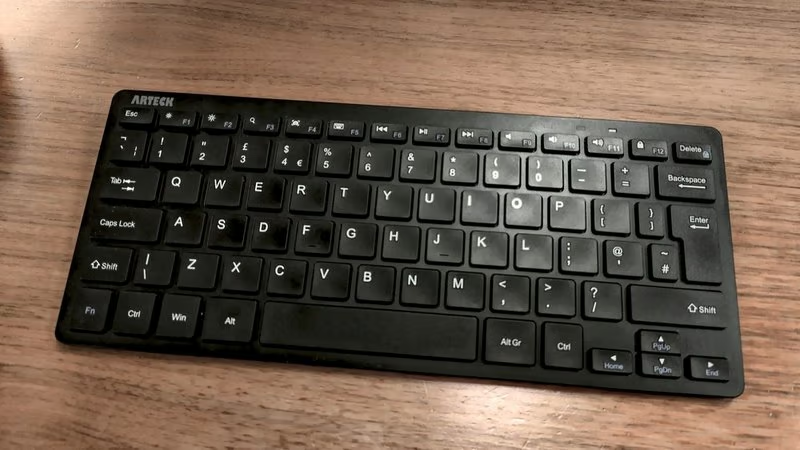
I picked up this little bundle of cuteness which I can lug into the office with me and use with my iPad. I could not justify spending £50 on one of those fancy, flimsy official Apple iPad cover keyboards… I just wanted something that I could use to type.
My iPad is getting on a bit but it still has exceptional battery life so why not carry that instead of my 1.5 kg laptop plus charger? It’s an HP, the battery drains faster than my bath plug hole and that charger is heavy as well. And no, I will never be buying another Apple-anything again, ever.
So, £20 was well-spent on this solid-feeling tiny Bluetooth thing with decent enough keys. It does the job, my shoulder bag is lighter and I have a homemade laptop that’s an iPad, or deskpad or something. It’s a contraption that works and that’s all that matters.
Next up was finding a decent note-taking app on the iPad. I tried a few but settled on Obsidian because, of all the ones I tried that were not Apple Notes, it was the ONLY one capable of zooming the font size. I can sit it underneath my work monitor and type away, and can actually see what I’m typing quite comfortably without having to lean forward or squint.
Getting my notes off the iPad… here’s another joke! I knew all about Apple and how they just do not want you to leave like Hotel California. And, I’m Mr Free, so paying for Obsidian’s plan (for the privilege of syncing) is a firm no-no. I’m not paying simply to move a file from one location to another; in this case, from my iPad to my Linux machine. The punchline is: I’m very well-versed now in how to deal with Apple’s shenanigans and I was prepared for this. I created a new iCloud e-mail account and used Apple Mail to e-mail myself on another address and that completes the transfer process. Obsidian has a ‘Share’ function which allows attaching the notes to e-mails, and that’s the workaround.
No cables, no subscription fees and absolutely no jumping through Apple’s hoops to get my own stuff off my own stuff.
Oh, and the keyboard is wonderful.